
PhoneDiffusion Local AI image generator iOS app hits 1,000 users

What 1,000 Users Taught Us About Building a Local AI Image Generator for iPhone
PhoneDiffusion reached 1,000 users within three weeks of launch.
The number is worth celebrating, but the more useful story is what happened behind it. People chose to download real Stable Diffusion models, store them on their iPhones and generate images locally instead of sending every prompt to a cloud service.
That is meaningful because local AI asks more from both the product and the user. The app has to match the right model to the hardware. The first download has to be clear. Generation has to be fast enough to support experimentation. Storage, memory and heat cannot be treated as someone else’s problem.
Our first 1,000 users showed us that there is real demand for a private, offline AI image generator built specifically for iPhone—but only if the local workflow feels like a product, not a technical demo.
Download PhoneDiffusion on the App Store or continue reading to see what we learned.

The short version
Five lessons have shaped PhoneDiffusion since launch:
“Offline” has to describe the generation path, not just the interface.
Model selection is part of the user experience.
Generation speed matters because it changes how freely people experiment.
New users want a simple first result; experienced users still want control.
A useful local AI app needs an editing workflow, not only a Generate button.
Those lessons now guide how we design PhoneDiffusion and how we think about local AI image generation on Apple devices.
1. Offline AI only matters when the workflow is genuinely local
Many AI image apps are available on iPhone. That does not mean the image generation happens on the iPhone.
In a typical cloud workflow, the app sends a prompt or source image to a remote server. The server runs the model and returns the result. That approach can support larger models, but it also introduces accounts, network dependence, server queues, cloud processing and, often, per-image credits.
PhoneDiffusion takes a different approach. After the required model has been downloaded, Stable Diffusion image generation runs on the device. Prompts, source images, generated images and local history do not need to be uploaded for the core generation workflow.
For users, that changes the experience in practical ways:
image generation can continue without an internet connection after setup
private prompts and reference images can remain on the device
there is no cloud render queue between the prompt and the result
experimentation is not measured against a per-image credit balance
saved generations remain part of a local creative workspace
Privacy is important, but it is not the only reason people choose local generation. Reliability and ownership matter too. An on-device tool remains useful when a connection is weak, a server is busy or a cloud service changes its limits.
If you are comparing local and cloud apps, our guide to choosing an offline AI image generator for iPhone explains what to verify before downloading.
2. Choosing the right Stable Diffusion model is a product decision
Desktop Stable Diffusion users are used to selecting from a large collection of models and adjusting every setting manually. That freedom is valuable, but moving the same experience to a phone without adaptation creates a poor mobile product.
An iPhone has real limits around available memory, storage, sustained performance and temperature. A larger model may produce better detail, but it can also require a larger download, more preparation time and newer hardware. A faster model may be the better choice when the goal is rapid iteration.
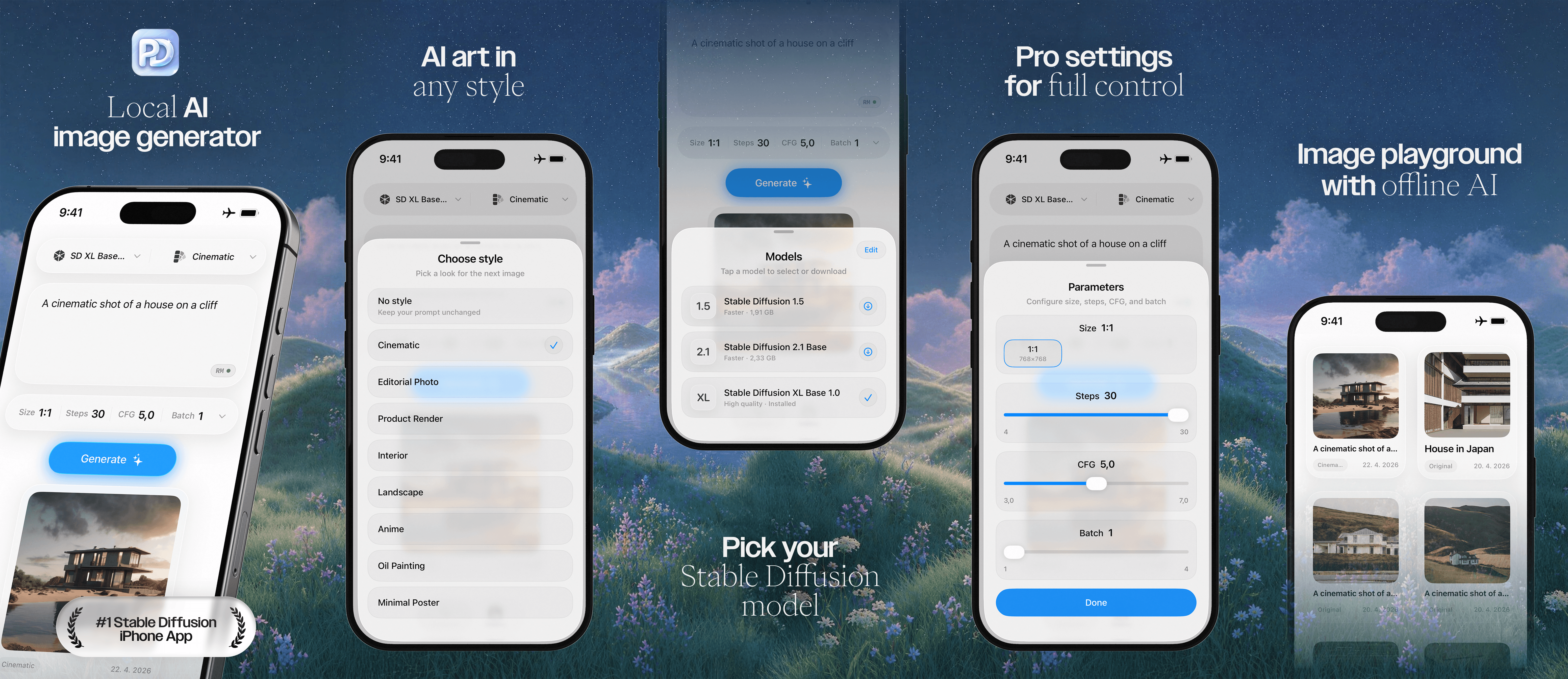
This is why PhoneDiffusion uses curated model packs and device-aware recommendations. The goal is not to expose the longest possible list. It is to help each user start with a model that makes sense for the iPhone in their hand.
PhoneDiffusion currently supports workflows built around:
fast SD 1.5 models for responsive generation
higher-quality SDXL models on supported devices
text-to-image generation
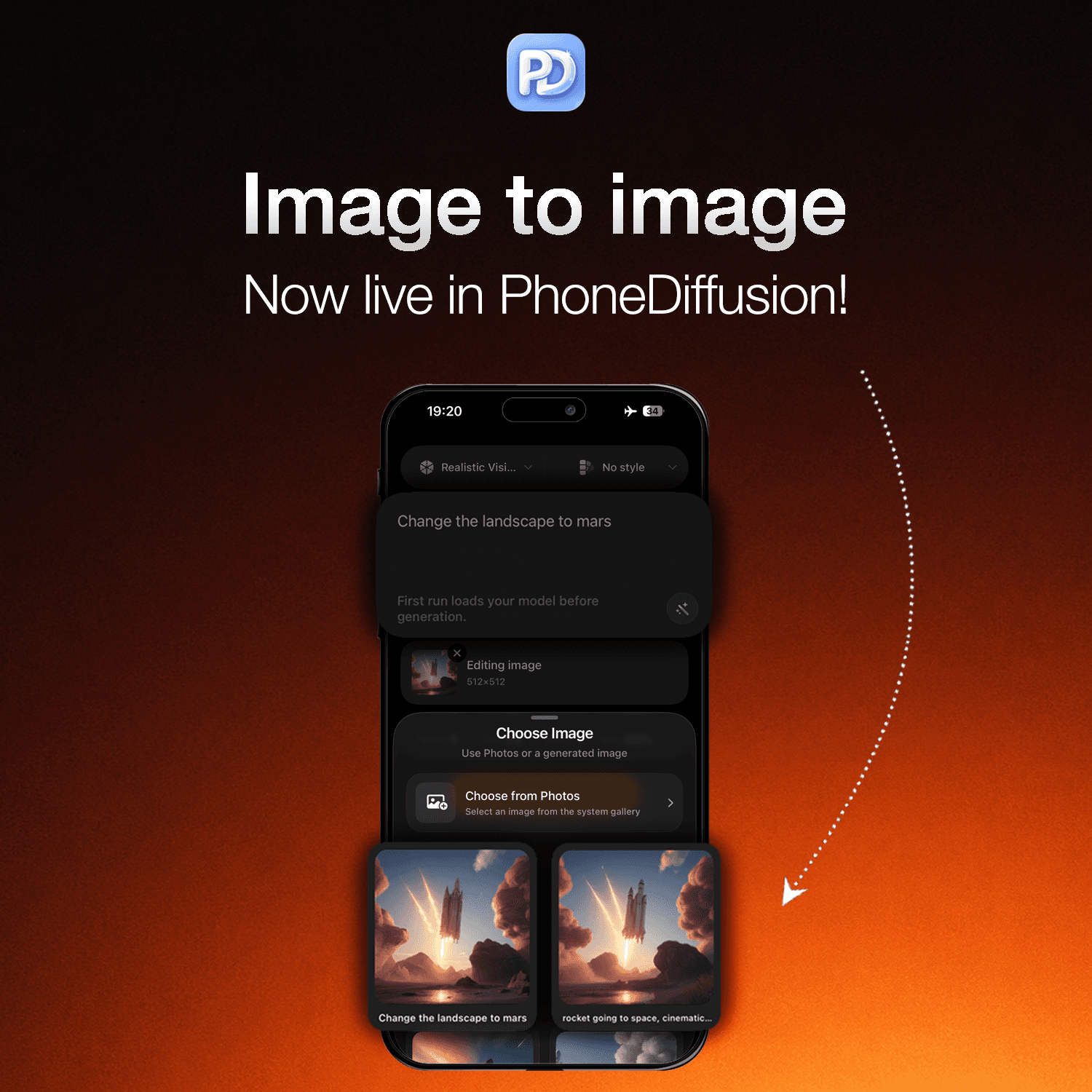
image-to-image transformation
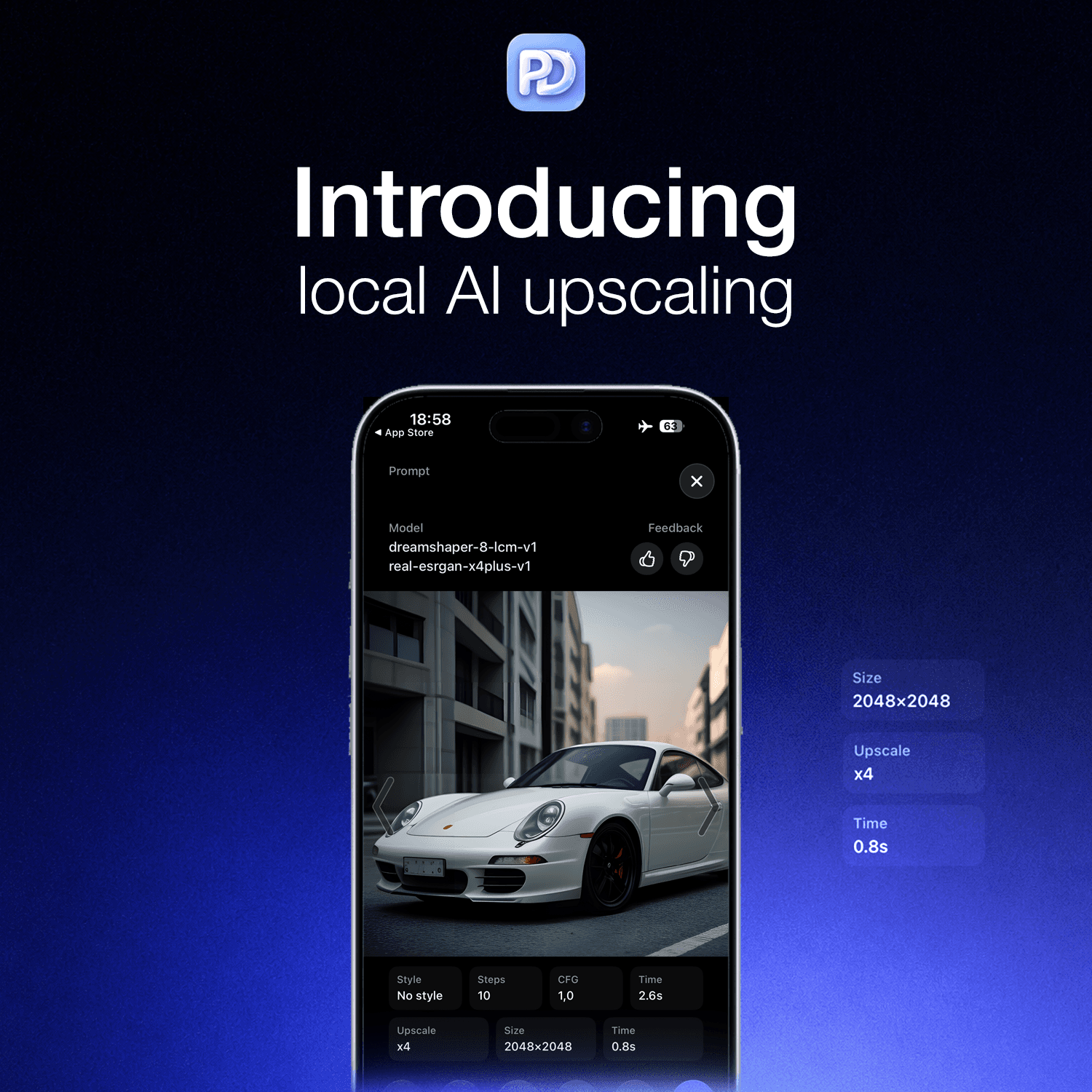
local image upscaling
The first generation should not require someone to understand model architecture. At the same time, users who care about model choice should be able to explore the tradeoff between speed, style and image quality.
For a deeper comparison, see SD 1.5 vs SD 2.1 vs SDXL on iPhone. You can also check our guide to Stable Diffusion iPhone requirements before downloading larger models.
3. Speed matters because creativity depends on iteration
Generation time is an easy benchmark to share, but the number alone is not the product.
What matters is what the delay does to the creative process.
If every result takes long enough to interrupt your train of thought, you stop experimenting. You make safer prompt changes. You are less likely to test another style, adjust the guidance or try a different model.
When generation is responsive, the workflow changes:
Write a rough prompt.
Generate an initial image.
Identify what works.
Change one part of the prompt or settings.
Generate again.
Use the strongest result as the input for the next step.
This is why we optimize for the complete loop rather than one impressive benchmark. Model loading, warm generation, prompt reuse, gallery access, image-to-image and upscaling all affect how quickly someone can move from an idea to a finished result.
Some faster model configurations can produce an image in a few seconds on newer devices. Larger models and higher-quality settings take longer. The useful question is not “What is the fastest possible generation?” It is “Which quality and speed tradeoff keeps this workflow moving?”
Our Stable Diffusion settings guide for iPhone explains how steps, guidance and model choice affect that tradeoff.
4. Simple and powerful are not opposites
The first 1,000 users included people opening Stable Diffusion for the first time and experienced creators who already understood models, steps and guidance.
They do not need the same interface on day one.
A new user needs a clear starting point:
a recommended model
an understandable style choice
a place to write a prompt
one obvious action to generate the image
An experienced user wants to go deeper:
choose a different model
control steps and guidance
change the output size
create multiple variations
adjust image-to-image strength
reuse prompts and previous results
The answer is not to choose one audience and ignore the other. It is progressive control: make the common path clear, then reveal more precision when the user asks for it.
PhoneDiffusion is becoming easier for a first generation without removing the settings that make Stable Diffusion useful. That balance is one of the hardest parts of building an iPhone-native AI image tool, and user feedback continues to shape it.
5. A local AI image generator needs more than text-to-image
Text-to-image is usually where someone starts. It is rarely where the strongest result ends.
A practical creative workflow needs ways to continue working with an image after the first generation. That is why PhoneDiffusion has expanded beyond entering a prompt and waiting for a result.
With image-to-image, users can begin with:
a photo from their library
a sketch
an earlier PhoneDiffusion generation
a visual composition they want to reinterpret
The source image provides structure while the prompt defines the new direction. A user can restyle a scene, transform a rough idea, explore variations or refine an image without starting from an empty prompt.
Local upscaling extends the same workflow. Once an image is worth keeping, it can be enlarged and cleaned up on the device for a more useful final export.
The important point is continuity. Prompting, generating, editing, comparing, upscaling and saving should feel like one local workflow.
What PhoneDiffusion includes today
PhoneDiffusion has grown from a focused text-to-image app into a local AI image workspace for iPhone. The current experience includes:
on-device Stable Diffusion image generation
offline generation after the selected model is installed
curated SD 1.5 and SDXL model options
device-aware model recommendations
text-to-image and image-to-image workflows
built-in styles for faster prompt exploration
controls for steps, guidance, batch size and edit strength
local AI image upscaling
a private on-device generation gallery
prompt reuse and remixing
no account required for the core generation workflow
no cloud generation queue or per-image credit system
The feature list will continue to change. The product principle behind it should not: give people a capable AI image studio that runs on the hardware they already own.
Watch local Stable Diffusion run on iPhone
Our full video tutorial covers model selection, text-to-image, image-to-image and offline generation in PhoneDiffusion:
If your website supports YouTube embeds, place the video here rather than showing only the URL. Add the visible title How to Generate and Edit AI Images Locally on iPhone above the embed.
What we are building next
Reaching 1,000 users did not prove that the product is finished. It clarified where the work matters most.
Our priorities are:
making model setup and downloads more reliable
improving model quality without losing practical mobile performance
shortening the path from installation to the first useful image
making image-to-image and upscaling feel like a connected workflow
exposing advanced controls without overwhelming new users
improving guidance around storage, device capability and model choice
The long-term goal is straightforward: make PhoneDiffusion the most useful local AI image generator for iPhone while staying honest about what on-device hardware can and cannot do.
One thousand users is still an early milestone. It is also enough real-world usage to show that local, private and offline AI image generation is not only a technical curiosity. People want it when the workflow is understandable and the results are worth the setup.
Try PhoneDiffusion on your iPhone
If you want to generate Stable Diffusion images without sending every prompt and source image to a cloud service, try PhoneDiffusion.
Download PhoneDiffusion on the App Store
You can also learn more about how PhoneDiffusion works or read our guide to running Stable Diffusion locally on iPhone.